
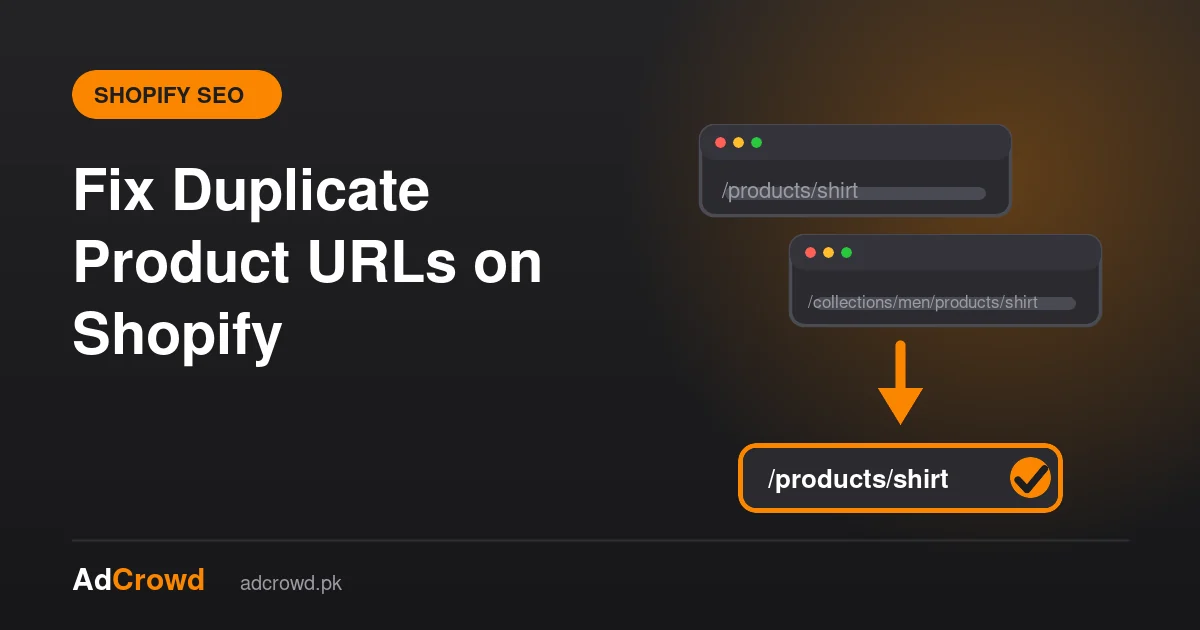
Shopify can show the same product at two addresses: /products/name and /collections/collection-name/products/name. Shopify’s default canonical tag points to the /products/ version, so Google is usually told which one to prefer. Problems start when your theme and internal links send people and crawlers to the longer URL anyway. Fix it by checking the canonical tag and linking to the canonical URL everywhere.
Why does Shopify create two product URLs?
A product can belong to several collections, and Shopify lets visitors reach it through each collection page. Many themes build product links with a Liquid filter called within: collection, which creates the longer collection-based address. Both addresses show the same page, so search engines see duplicates.
How do you check whether it is a problem on your store?
- Open a product from a collection page and look at the address bar. If it contains /collections/, your theme uses the longer URL.
- View the page source and search for
rel="canonical". The canonical link should point to the /products/ address. - In Search Console, open the Pages report and look for “Duplicate, Google chose different canonical than user”. Products listed there need attention.
- Search your menus, blog posts and banners for links that use the /collections/ product address.
How do you fix it?
- Confirm the canonical tag. In most themes it is output by the theme layout using Shopify’s canonical URL value. Keep it, and do not remove it when editing the theme.
- Change collection product links so they use the canonical product URL. This is a theme edit in the product card template, so ask your developer and back up the theme first.
- Update internal links in menus, blog posts, emails and banners to the /products/ address.
- Keep the sitemap as Shopify generates it, which lists the /products/ address.
- Recrawl the store and recheck the Pages report after a few weeks.
What should you not do?
- Do not noindex product pages to hide duplicates. You would remove the pages you want to rank.
- Do not change product handles without redirects from the old URLs.
- Do not block the collection-based URLs in robots.txt. Google can then not see the canonical tag on them.
Do variant URLs cause the same problem?
Variants add a ?variant= parameter to the product address. The canonical tag normally points to the clean product URL, so this is handled as long as the canonical is intact and you do not link to parameter addresses. Our Shopify SEO page lists the other recurring Shopify issues, and Shopify vs WooCommerce shows how they compare.
What does it look like in Search Console?
In the Pages report, duplicate product pages usually appear under statuses such as “Duplicate without user-selected canonical” or “Duplicate, Google chose different canonical than user”. Click the status to see the affected addresses. If they are /collections/ product URLs, the theme or links are the likely cause. If Google chose a different page than the one you set, check that your canonical tags and internal links agree.
A short checklist for your developer
- Keep the canonical tag in the theme layout and the product template.
- Change product card links so they use the canonical product URL.
- Check menus, featured product blocks and recommended product sections for collection-based links.
- Test a product from two collections and confirm the canonical is the same.
- Back up the theme before editing.
Frequently asked questions
Do duplicate product URLs cause a Google penalty?
No. Duplicate URLs are not a penalty. They can split ranking signals and waste crawl effort, which is why you want one preferred address per product, set with the canonical tag and consistent internal links.
Does Shopify set canonical tags automatically?
Yes. Shopify themes normally output a canonical tag, and the default points product pages to the /products/ address. It is still worth checking after theme changes or app installs, because edits can remove or change it.
Should I remove products from collections to avoid duplicates?
No. Products belong in the collections that help shoppers find them. Fix the duplicate by controlling which URL your links use and by keeping the canonical tag correct, not by hiding products.
How long until Google picks the right URL?
Usually a few weeks after the links and canonicals are consistent, depending on how often Google recrawls your store. Check the Search Console Pages report to see whether the duplicate warnings clear.
Sources and further reading
Want someone to check your Shopify canonicals, theme links and indexing? Tell us your store address and we will look.